I thought this information was very useful! I found it on http://sneakymommablogdesign.blogspot.com
Using Images from the Web in Your Posts- Updated
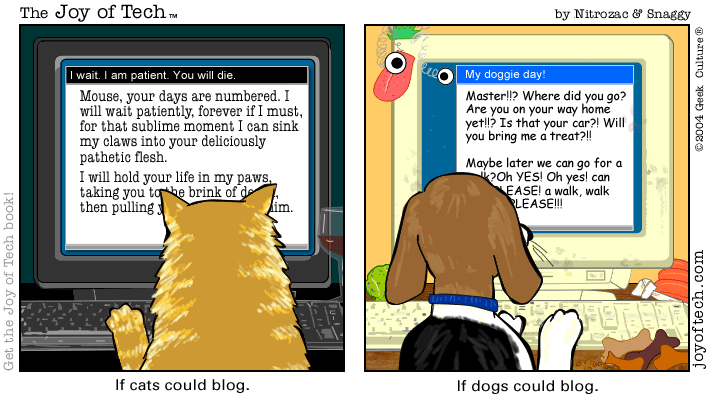 Did you know that you can copy virtually any image off the web and post it on your blog? Not only can you do it, but it’s VERY easy!
Before I show you how to do this, it’s important to understand that ANY time you copy an image from another person’s blog or website, you should get their permission first. Proper etiquette also implies that you should give credit to the place you found the photo by providing a link back to it. Use caution when copying images from other sites, and ALWAYS ask for permission. If you are not sure whether you can copy an image, DON’T DO IT.
For example, the cartoon above was pulled from Photobucket. Click here to check out their terms. Scroll to section 6.2
How to copy images from the web and put them in your posts:
1. Find the image you want to put in your post. Keep in mind that the image will appear as the exact same size in your post. Don’t copy a thumbnail image if you’re wanting something bigger and don’t copy something bigger than the width of your post section.
2. Right click on the image and then click on ‘Properties’.

3. Highlight the URL (web address) or location if you’re on Firefox. Shortcut: Triple click on the web address and the whole thing will be highlighted.
4. With your cursor (mouse) on the highlighted web address, hit ctrl+c or right click and click on ‘Copy’.
5. Open up your post to edit it.
6. Click on the ‘Add Image’ icon (the picture button between spell check and the filmstrip).
 7. Click inside the URL box on the right, under “Or add an image from the web” (boxed in red above).
8. With your cursor within the box, hit ctrl+v or right click and click on ‘Paste’.
9. Click on the orange ‘Add Image’ button.
10. Click ‘Done’. The image should now be in your post! 🙂
Now that you see how easy it is to copy images from the web, I hope you realize how easy it is for others to copy your pictures. Soon I will give you a few tips on how to help prevent people from stealing YOUR photos.
*The above cartoon was resized before adding it to this post. 🙂
Photo Credits:
The cartoon used in this post was found on Photobucket:
http://media.photobucket.com/image/computer%20cartoon/JulieBorkowski/joyoftechb535b.gif?o=13




Leave a Reply